Podcast Show Notes vs. YouTube Descriptions: What to Write in Each
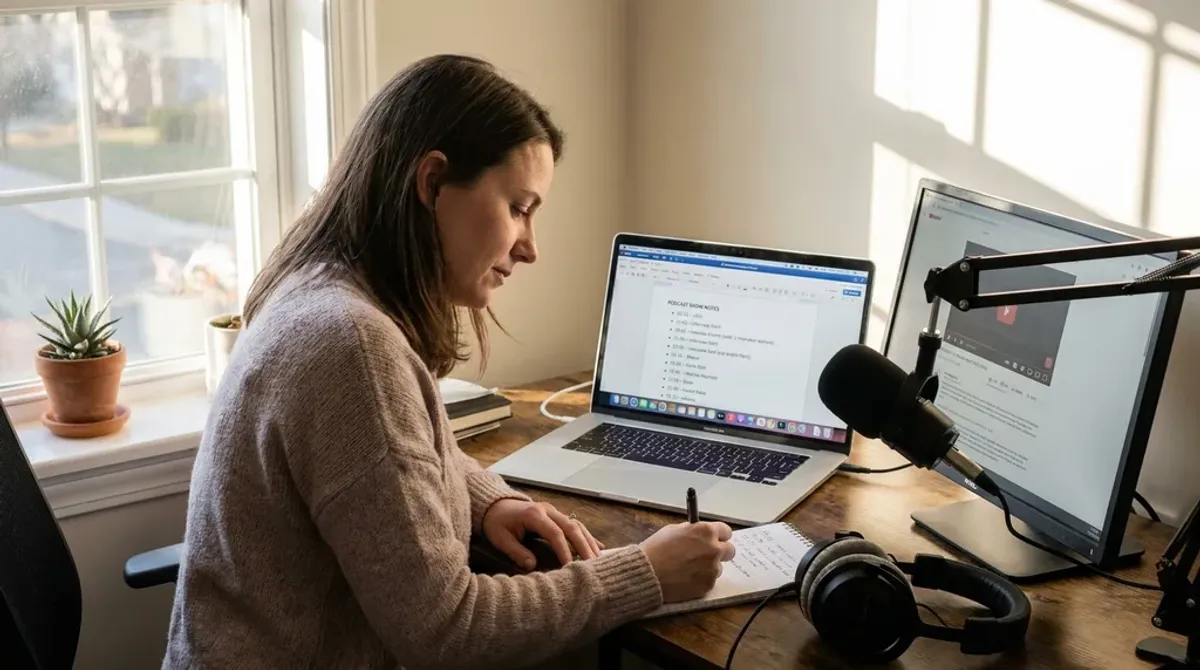
Podcast show notes and YouTube descriptions do different jobs. Here are the six differences that matter, what belongs in each one, and what you can reuse.
You have recorded the episode and you are ready to publish. The last step is the written part: the show notes that go out with the audio, and the YouTube description if the episode is also going up as a video.
Those two blocks of text look similar enough that most hosts write one and paste it into the other. They are not the same job. The audience is different, the system reading them is different, and the formatting that works in one place reads badly in the other. Sorting out which is which takes a few minutes per episode and decides how many people ever find the recording.
What Are Podcast Show Notes?
Podcast show notes are the written summaries that appear alongside episodes on Apple Podcasts, Spotify, and your own website. They are pulled from your podcast host and delivered through your RSS feed, which means one block of text has to work in several places at once.
They do four things:
- Give listeners context about the episode before they commit 40 minutes to it
- Provide the links, resources, and calls to action the audio cannot carry
- Give your episode page text for Google to index, since an audio file is not text
- Make the episode usable for someone who wants to skim rather than listen
That last one gets underrated. A listener who wants to come back for the name of a tool, a book, or a guest is not going to scrub through your audio to find it. Our longer piece on show notes covers the structure we use on client episodes, including where the timestamps go.
What Is a YouTube Description?
A YouTube description is the block of text under a video. It tells a viewer what the video covers, carries your links, and feeds YouTube’s own ranking systems.
YouTube is the second-largest search engine after Google, and the description affects four things:
- Whether the video comes back for a search someone typed
- Whether it appears in the suggested and related columns next to other videos
- Whether a viewer who sees it decides to click
- Whether the episode surfaces in YouTube’s podcast sections, which YouTube’s own podcast discovery guidance tells creators to write detailed descriptions for
The distinction worth holding onto: show notes support a listener who has already found you, and a YouTube description is part of how someone finds you in the first place. If you are still deciding whether to put the show on YouTube at all, our case for podcast discoverability there goes through the numbers.
Six Differences Between Show Notes and YouTube Descriptions
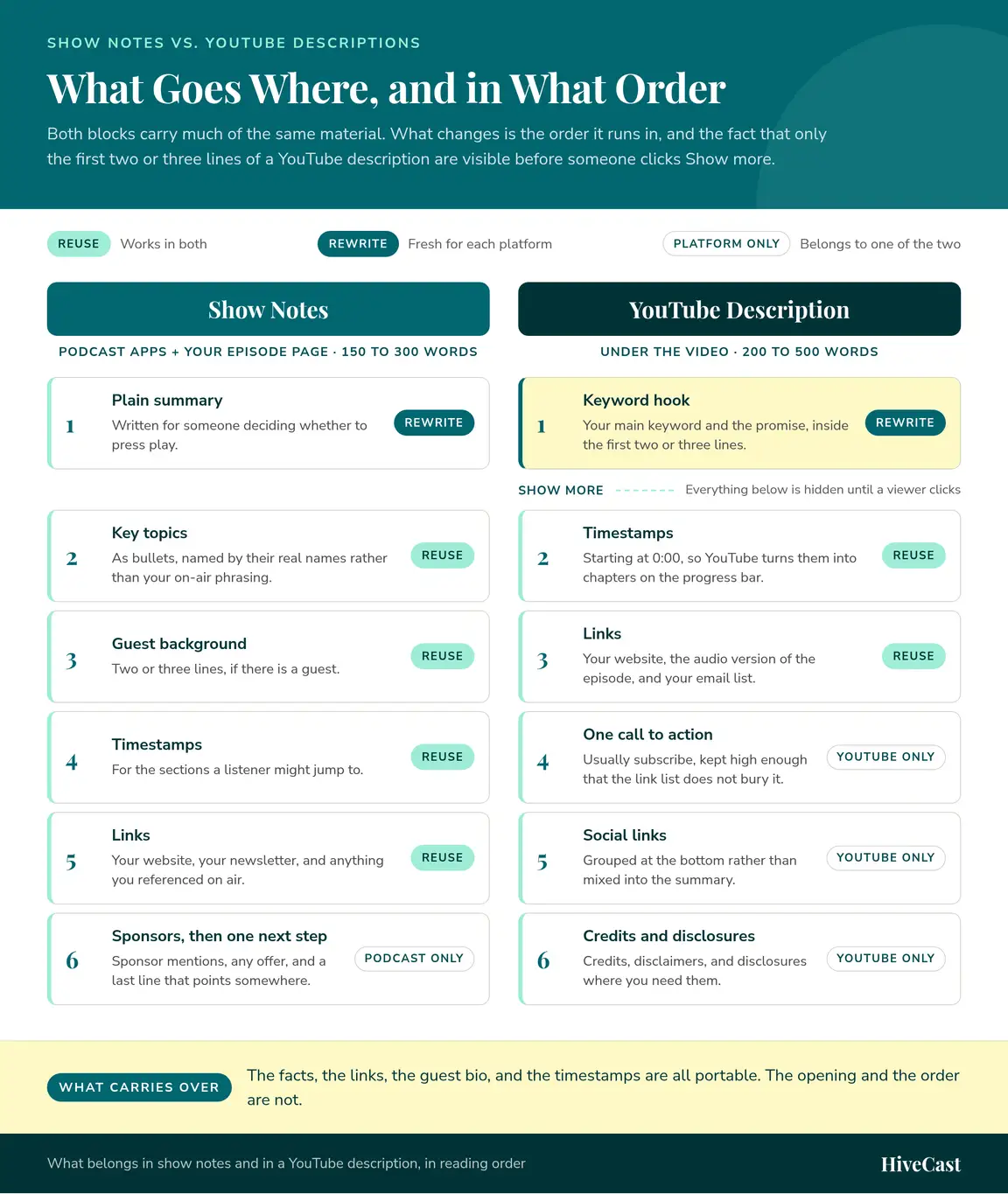
| Feature | Show Notes | YouTube Descriptions |
|---|---|---|
| Primary purpose | Context, resources, accessibility, SEO on your own site | Discovery inside YouTube, plus click-through |
| Length | 150 to 300 words | 200 to 500 words |
| Format | Short paragraphs with bullets and timestamps | Line breaks, timestamps, and keywords throughout |
| Where the SEO lands | Your episode page and blog rankings | YouTube search and suggested video results |
| Calls to action | Website, newsletter, lead magnet, sponsors | Subscribe, like, comment, plus external links |
| Opening line | A plain summary of the episode | A keyword-rich hook, because only two or three lines show |
Best Practices for Podcast Show Notes
Podcast show notes are the episode’s companion page. They should tell a browsing listener what they are about to get, help a returning listener find the thing they remember, and give them one clear next step.
What to include
- A short summary of the episode, written for someone deciding whether to press play
- The key topics or takeaways as bullets, named by their real names
- The guest’s background, if there is a guest, in two or three lines
- Timestamps for the sections a listener might jump to
- Links to your website, newsletter, and anything you referenced on air
- Sponsor mentions and any offer you made during the episode
How to write them
- Keep it scannable. Short paragraphs and bullets beat one dense block.
- Name the topic in plain language rather than in the clever phrasing you used on air, because the plain version is what people search for.
- Put the terms you want to be found for in the summary, where they read naturally. This is the same metadata discipline our podcast SEO work applies across a whole back catalog.
- Write the last line as a next step, not as a sign-off.
Best Practices for YouTube Descriptions
A YouTube description is part ranking signal and part sales pitch for the click. The first two or three lines are the only part visible before the Show more link, so they carry most of the weight.
What to include
- A summary in the first two or three lines that contains your main keyword
- Timestamps, which YouTube turns into chapters on the progress bar
- Links to your website, the audio version of the episode, and your email list
- Social links, grouped at the bottom rather than mixed into the summary
- One call to action, usually subscribe
- Credits, disclaimers, and disclosures where you need them
How to write them
- Lead with the keyword and the promise, in that order.
- Break the block up with line breaks and short labeled sections, since YouTube renders no formatting beyond plain text.
- Repeat the episode’s main topic once or twice further down, where it fits the sentence.
- Keep the link list short enough that the subscribe line does not get buried.
💡 Keyword goes in the first two lines
The first two or three lines are the only part a viewer sees before clicking Show more, so the main keyword belongs there rather than in a later paragraph.
The same first-line discipline applies to the video title itself, and our patterns for podcast episode titles cover what earns the click without reading as a keyword list.
Why AI-Generated Show Notes Do Not Replace Edited Ones
Every host now has a tool that drafts show notes from a transcript in about four minutes, and those drafts are genuinely usable as a starting point. That is exactly why they stopped being an advantage. When the whole category ships the same competent summary, the summary is the floor.
When the whole category ships the same competent summary, the summary is the floor.
Four things go wrong often enough that we check them on every episode:
- Names. Guest names, company names, and product names get spelled by sound. A guest whose name is wrong in your show notes is a guest who will not share the episode.
- Timestamps. Generated timestamps drift by several seconds, which is enough to drop a listener into the middle of a sentence instead of at the start of the answer.
- Missing references. A tool, a book, or a study mentioned once in passing is the thing people came back for, and it is usually the thing the draft leaves out.
- Claims the guest walked back. A summary written from a transcript treats minute 12 and minute 40 as equally true, so a position the guest revised later can end up presented as their conclusion.
None of that makes AI drafting a bad idea. It makes the pass after the draft the part that matters, and that pass is what a human editor who heard the episode does. The broader version of this argument is in our guide to podcast SEO, where show notes are one lever among several rather than the whole strategy.
How to Repurpose One Into the Other
If the same episode is going out as audio and as video, reuse the raw material and rewrite the packaging:
| Reuse as it is | Rewrite for each platform |
|---|---|
| The facts and the topics | The opening line |
| The guest bio | The order the blocks run in |
| The links you referenced | The call to action |
| The timestamps | The formatting |
From show notes to a YouTube description
- Move your keyword into the first line, ahead of the context.
- Cut the conversational framing in the summary down to one sentence.
- Convert your timestamp list into the format YouTube reads as chapters, starting at 0:00.
- Add the subscribe call to action, which show notes do not need.
- Move the sponsor and offer language below the links rather than above them.
From a YouTube description to show notes
- Replace the hook with a plain summary that reads as a sentence rather than as a search query.
- Regroup the flat text into short paragraphs and bullets, since your episode page renders real formatting.
- Drop the subscribe and like requests, which mean nothing in a podcast app.
- Add the links your podcast audience needs, including the audio player and the newsletter.
Why This Matters for Discoverability
Search engines and recommendation systems need text to work with, and a listener needs to know what they are about to get. Both problems are solved by the same few hundred words, written twice for two different places.
That is the whole argument for treating this as a production step rather than as an afterthought at 11pm on publishing day. Two episodes published the same week show the gap:
- Written for the platform. A clear summary, real timestamps, and the main keyword in the position each platform shows first. It keeps getting found months later.
- Pasted across. The same block of text in both places, with the keyword sitting below the Show more line and the subscribe request landing in a podcast app. It competes with nothing but luck.
Getting Help With the Written Half
Every HiveCast plan includes SEO show notes written by someone who listened to the episode. Two services cover the two halves of that work:
- Podcast production handles the written half alongside the audio edit, the promotional graphics, and publishing to the directories.
- Podcast strategy engagements decide what the episodes should be about in the first place.
If you want someone to look at your last few episodes and tell you what the written half is costing you, book a call and we will go through them with you.
Frequently Asked Questions About Show Notes vs. YouTube Descriptions
What is the purpose of podcast show notes?
Show notes give a listener the context and the links that the audio cannot carry: what the episode covers, who the guest is, the tools and articles you mentioned, and where to go next. They also give your episode page something for Google to index, since the audio file itself is not text. On Apple Podcasts and Spotify they are read by people rather than by the search index, which is why they help a listener decide whether to press play more than they help you rank inside the apps.
What is the difference between podcast show notes and a YouTube description?
Show notes are delivered through your RSS feed to the podcast apps and to your own episode page, where they support the listener and give Google text to index. A YouTube description sits under a video and feeds YouTube's own search and suggested-video results directly. The practical difference is where the text is doing its work: show notes earn you traffic on your website, and descriptions earn you views inside YouTube.
How long should podcast show notes be?
Between 150 and 300 words covers most episodes: a short summary, the topics by name, the guest's background, the links you referenced, and one call to action. Length is not the goal. If a 40-minute interview is genuinely covered in 180 words, stop at 180. YouTube descriptions are the ones that reward more text, at 200 to 500 words, because YouTube reads the whole block.
Can I use the same text for show notes and my YouTube description?
You can, and it costs you both. Show notes open with a summary because a listener browsing an app wants to know what the episode is about. A YouTube description opens with a keyword-rich hook because only the first two or three lines show before the Show more link. Reuse the facts, the links, and the timestamps, then rewrite the opening and the order for each platform. That takes a few minutes per episode.
Do AI-generated show notes work?
They produce a usable first draft and they get details wrong. The recurring problems are guest names and company names spelled by sound, timestamps that drift by several seconds, tools and books that were mentioned but never make it into the list, and claims the guest walked back later in the conversation. Everyone has the same tool now, so an unedited draft is the baseline. The editing pass is what is left to compete on.
Want this handled for you?
You record the episode, and HiveCast handles the editing, show notes, graphics, and scheduling. We have produced more than 5,000 episodes, and there are no long-term contracts.
More on Podcast SEO
Related Articles
Podcast SEO: How to Get Your Show Found in Search
Podcast SEO works in two places: the search inside Apple and Spotify, and the episode pages Google reads. Here is what to fix in each, and in what order.
Search Console Now Links Your Social: What It Means
Learn what Google Search Console for YouTube means for podcasters, what data it shows, and how to use it to improve discoverability.
5 Tips to Rank Higher on Apple Podcasts in 2026
Rank higher on Apple Podcasts in 2026: optimize metadata, earn more follows, improve retention, and turn Search and Top Charts into discovery.